


Release notes
New requested features and debugging based on user feedback.
NEW FEATURES
1. Added Developer function to enable access to control printers through the RaiseTouch WebAPI.
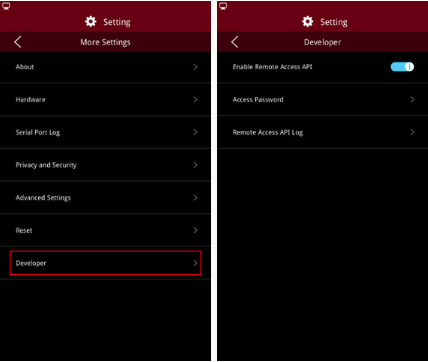
Enter the developer settings through Setting->More Settings->Developer.
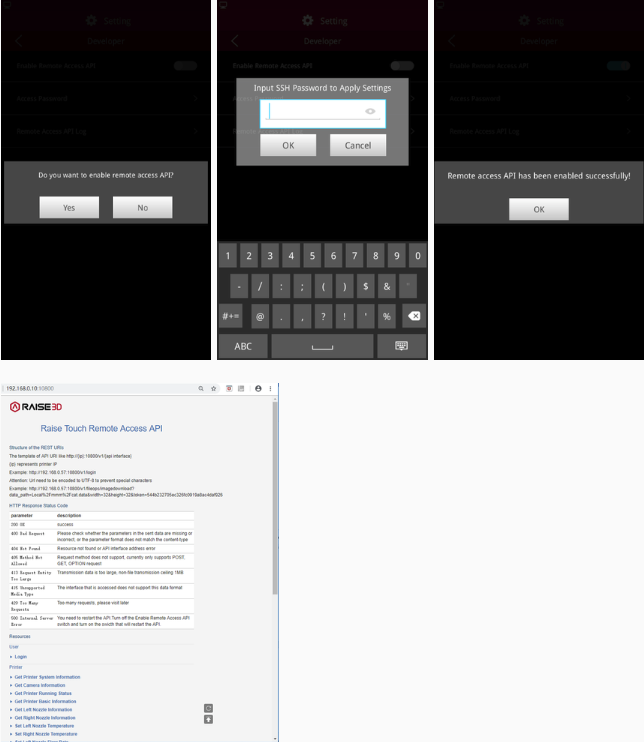
a. Enable Remote Access API
You can browse the API documentation by visiting http://xxx.xxx.xxx.xxx:10800 (printers IP address) to see how to use the API.
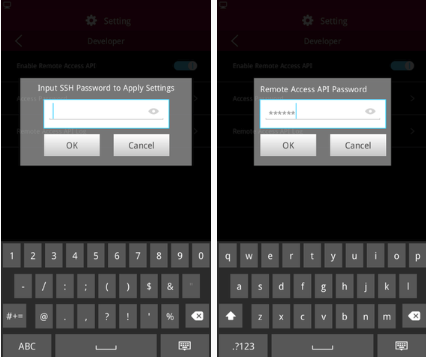
b. Access password
Enter the SSH password to set the Remote Access API password.
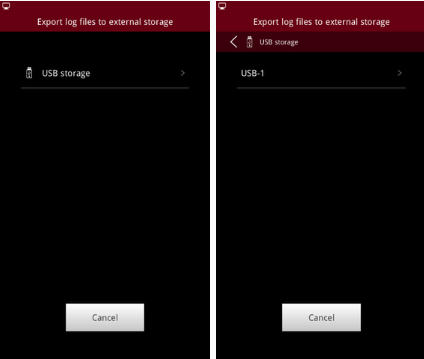
c. Export remote access API log
Click to enter the export path selection page and select the export location.
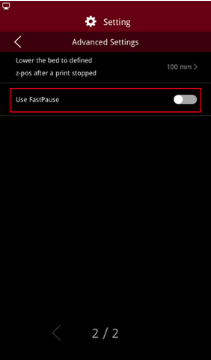
2. Added fast pause function to Pro2 Series printer.
Fast pause can be enabled under Setting–>More Settings–>Advanced Settings.
Note: 1) Fast pause is enabled by default.
2) Motion controller board firmware 0-0-66 or newer is required to enable fast pause function.
3. Added fast stop function to Pro2 Series printer.
Fast stop can be enabled under Setting–>More Settings–>Advanced Settings.
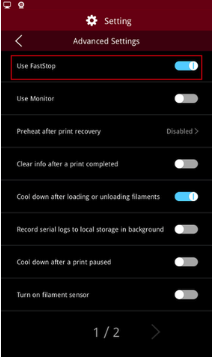
Note: 1) Fast stop is enabled by default.
2) Motion controller board firmware 0-0-66 or newer is required to enable fast stop function.
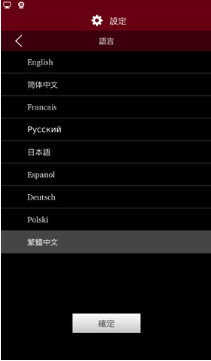
4. Added Traditional Chinese in language Setting.
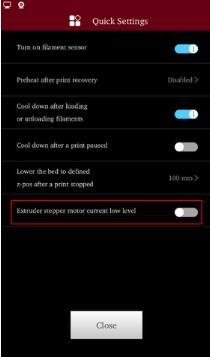
5. Added extruder stepper motor current low level for Pro2 Series printer.
Click the “Quick Settings” button located in the top right of the Utilities tab to enter the “Quick Settings” screen where you can enable the extruder stepper motor current low level. Enable the extruder stepper motor current low level which is suitable for cryogenic materials and the extrusion of the extruder decreases, the heating effect of the extruder is reduced at the same time.
6. Added Load/Unload timeout setting.
Enable the Load/Unload timeout setting through Setting–>More Settings–>Advanced Settings. The detection time starts with clicking “Load” or “Unload” after the temperature of the nozzle has reached the set temperature. The printer will stop loading/unloading automatically within ten minutes.
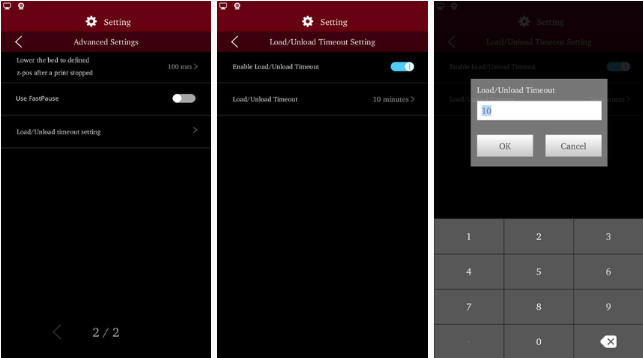
Note: The load/unload time out setting is disabled by default.
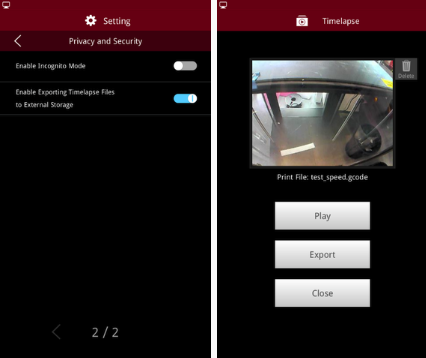
7. Added export function for timelapse files in dashboard.
Enable exporting timelapse files through Setting–>More Settings–>Privacy and Security
Exporting timelapse files to external storage is on:
Exporting timelapse files to external storage is off:
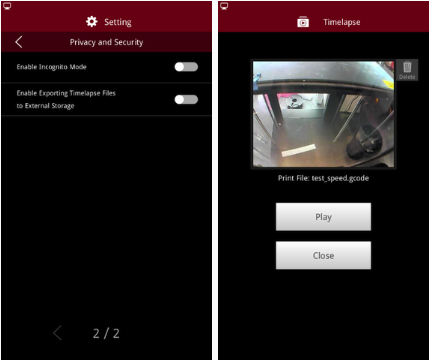
Note: The exporting timelapse files to external storage is disabled by default.
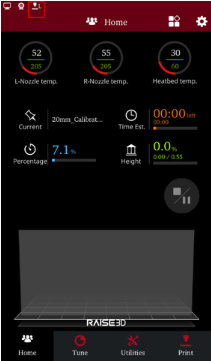
8. Added current print nozzle display.
L- Left nozzle is currently in use; R- Right nozzle is currently in use.
BUG FIXED
1. Fixed the bug that a convex point occurs when a curved surface is printed at high speed continuously of Pro2 Series printer.
2. Fixed the IP conflict issue when setting static IP address, and increase the IP collision detection prompts.
3. Fixed invalid Jerk setting issue of the Pro2 Series printer.
Motion controller board firmware 0-0-66 or newer is required.
4. The heating time will not be counted as the rest of the printing time.